

Introducing 3DBug!

It was October 24, 2024 when we wrote here about a big top-secret project involving Joomla. After over 600 hours of development and promotional efforts we are pleased to announce that 3DBug is finally here and available on the Joomla Extensions Directory!

This is, of course, a huge achievement and an important milestone.

What is 3DBug?

3DBug is a component that you install on your Joomla website. It lets you use graphics of any sort to build a “world”. Within the world, you position “rooms”. Within the rooms, you position “assets”. Rooms and assets can be associated with various digital media, including 3D models and scans (a.k.a. “gaussian splats”). Furthermore it lets your world integrate with any content in Joomla.
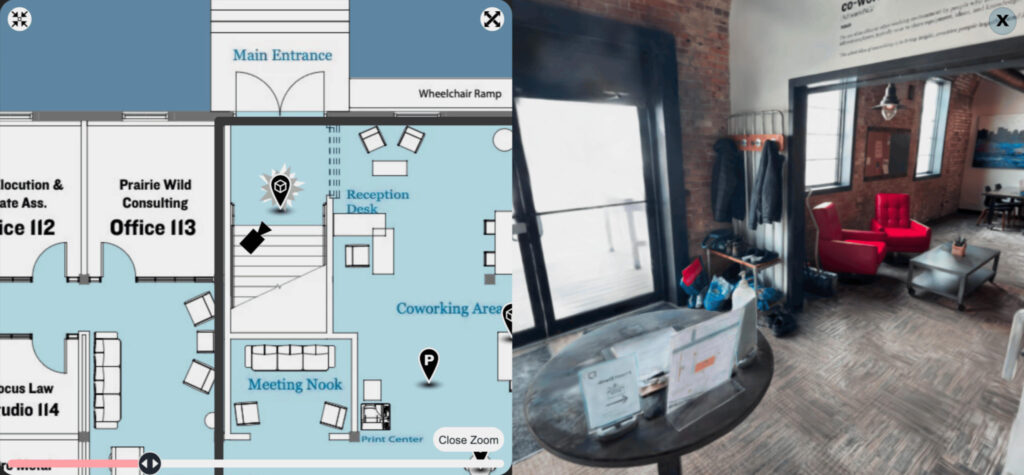
Virtual tour with 3-D room view built with 3DBug Joomla component
Virtual tour with 3-D room view

The end result is a versatile multimedia display and navigation system which can be used for virtual tours, games, e-Learning, galleries, site maps, and e-commerce among other things. A more detailed description can be seen on the 3DBug website.

Why does it exist?

Over the years Confidant gained experience with a number of very interesting projects:

As time went on, a question began growing in my little brain: Is there any way I can combine all of this experience into a single product?
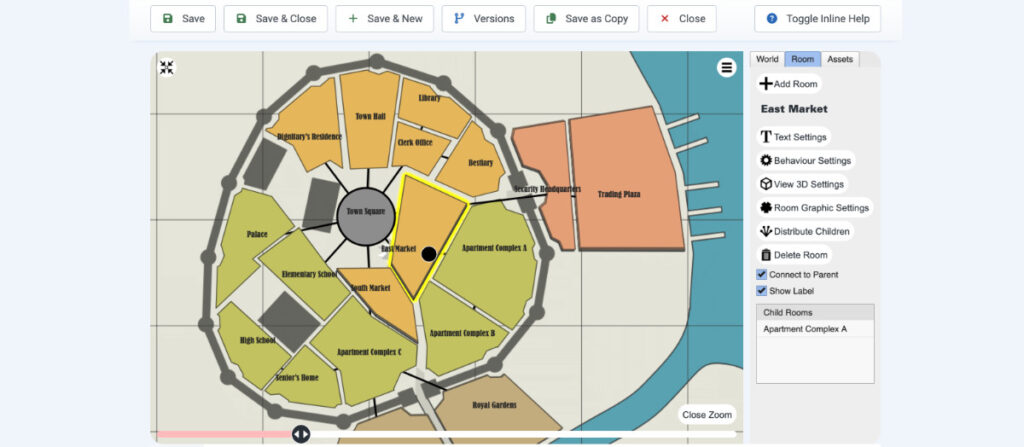
Screen shot showing a map using SVG graphics being displayed in the 3DBug component administration context
3DBug administration interface with an SVG map

The dreams became more vivid, and as plans began to take root there were other fortunate developments rapidly advancing in technology.

  1. The Joomla Component Builder tool released some major updates which supported the latest version of Joomla.
  2. A.I. was becoming a very useful tool for debugging and solving complex coding challenges.
  3. Gaussian splat technology has been rapidly advancing as the new standard in immersive 3-D web graphics.

The result of these three factors was that the project, which normally would require a large multi-disciplinary team, was streamlined into something which could be handled by a single person with spare hours over the course of about 18 months. So here we are celebrating!
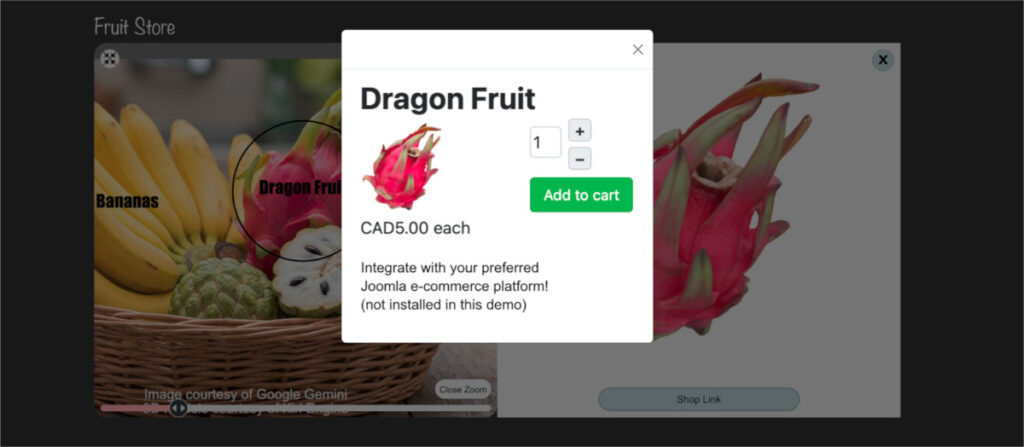
3DBug combines 3D graphics with your shopping cart system
Integration with shopping cart

What does the future hold?

It seems that this was an interesting enough project that Allan was accepted to be a speaker at the Joomla World Conference 2026 in Potsdam, Germany. Leading up to that time we will be very busy enhancing documentation, securing development and/or marketing funding, and doing promotional activity. It remains to be seen whether 3DBug itself will be a profitable long-term business or simply a nice portfolio piece.

If you have any need for this tool or have a custom application idea, please get in touch. We’ll be happy to explore a solution for you!

Triggering Haxe functions from within OpenFL TextField HTML links

It’s been a while since I posted anything useful (not sure if I ever have) but anyway here’s a tip for the Haxe / OpenFL coders out there.

Sometimes you need to have responsive, flowing text in your application and still use it to trigger functions, just like a webpage. So here is the solution. This works with a regular OpenFL text field, or a Label in FeathersUI.

var walkThruText = new TextField(); //or new Label();
walkThruText.htmlText = 'Want a walkthrough on how to use the tool?<br /><font color="#0000ff"><a href="event:tutorialClick">Watch this short tutorial</a></font> to become an expert.';

walkThruText.addEventListener(TextEvent.LINK, (linkEvent:TextEvent)->{
	switch (linkEvent.text){
		case "tutorialClick":
			trace("You clicked the link!");
	}
});

So the secret is to add an event with a name as the href on the <a> tag, then listen for the TextEvent when it gets clicked.

Bonus tip: text formatting within a TextField can be applied by either using the “setTextFormat” method on a text field and providing a start/end range, or you can use various html tags as listed here.

I hope this helps someone!

New Confidant Website

I’ve had a slow couple of months business-wise, but the benefit of that is I can work on my own projects. I am happy to report that I have just completed a new website for myself. My WordPress blog (you are here) has not changed, but you will notice that my top-level site has been updated to be completely mobile-compatible using modern day technologies. My previous site used Flash for its primary experience and did have a mobile-compatible fallback but this was never ideal, especially as today’s browsers are making it more difficult to use Flash.

So—the new site is built using the UFront framework. This is a very interesting and useful tool because it uses the same Haxe source code which compiles for both client (Javascript) and server (PHP). The framework is able to cache resources such as the site template, and it builds pages client-side whenever possible. It will remotely load only the data it needs to build each new page. The result is that the site is super fast. If you watch your network activity as you browse my portfolio, you will see that each new page requires only a few kilobytes, and browsing previously viewed pages will have nearly no network activity at all. If JavaScript is disabled, the site looks identical and pages will be built server-side instead.

For graphics, the site detects high-resolution (e.g. “Retina”) devices and serves high resolution images to them if they are available on the server. The top-level site navigation features a single SVG graphic for the menu. The graphic is embedded in the site template, where it serves as a graphic library allowing me to have the same display code used for both the menu and the headers. Animation effects are achieved using only CSS3 transforms, which saves the user from having to download any JavaScript libraries.

Something I wish was different is that Webkit-based browsers like Chrome and Safari for desktop don’t render fonts nicely when perspective transforms are applied to page elements. I was able to remedy this fairly easily for portfolio items, but pages at the second level of my hierarchy are a bit fuzzy. My hope is that these browsers make improvements which remedy this for me.

As a benefit to the Haxe community and a thank you to other people who provided coding help, I have released my full UFront source code on Github.

Thanks for reading!