Solved: Using ExternalInterface With Swiffy and AS2

I’ve been thankful for Swiffy as a tool for migrating Flash content to HTML5/SVG. It really does an amazing job and its drawbacks are few, but recently I discovered that it does not support using ExternalInterface with ActionScript 2 projects. In layman’s terms this means that the converted application cannot communicate with JavaScript on the page it resides on.

The problem:

Our application needed to support keyboard input on touch-screen devices, and the keyboard is only summoned when a real text input box receives focus. Swiffy uses SVG, which has no form text fields. Therefore we needed to use a JavaScript prompt for entering text, which then returned its data back to the Swiffy application. Remember, we can’t use ExternalInterface.

The solution: NOT using ExternalInterface

Fortunately LoadVars is supported with Swiffy’s AS2, so I came up with the idea of tricking the application into thinking it was communicating with a server. Fortunately I found EWSJS, which is a JavaScript for doing just that. It intercepts AJAX calls and returns whatever data you like.

I have posted my code in case anybody wants it, but seriously—if you don’t need this problem solved save yourself and stop reading now.

The Actionscript needed to have these functions:


grabTextLabelFromJavascript();
var result_thing:LoadVars = new LoadVars();
var t:Number;
result_thing.onLoad = function(success:Boolean) {
if (success) {
trace ("got it:"+result_thing.newTextValue);
if(result_thing.newTextValue==""){
//keep going
trace("keep going");
} else {
if( result_thing.newTextValue=="CANCEL"){
trace("cancel");
} else {
trace("making a new label:"+result_thing.newTextValue);
makeTextLabel(result_thing.newTextValue);
}
clearInterval(t);
getURL("javascript:enableServer(false);"); //disables the fake server
}
} else {
trace("nothing");
}
};
function grabTextLabelFromJavascript(){
t=setInterval(this,"loadIt",500);
getURL("javascript:summonPrompt();");
}
function loadIt():Void{
var send_lv:LoadVars = new LoadVars();
send_lv.sendAndLoad("/labelValue", result_thing, "GET");
}


The Swiffy resides in an iframe on another page so there is code on both HTML documents. First the iframe code:
// remember you will need to embed ewsjs.js and JQuery on this page
<script type="text/javascript">// <!&#91;CDATA&#91; var newLabel=""; var theResponse=""; (function($&;) { var route, router; router = { "/labelValue": { "GET": function(config) { // return the new text label if (newLabel!="") { console.log("newLabel ok:"+newLabel); theResponse="newTextValue="+newLabel; newLabel=""; }else{ console.log("nope"); theResponse="newTextValue="; } return({status: 200, response: theResponse, headers: {"Content-Type":"text/plain"}}); } } }; // simple to wrap around the actual handler, makes it easier to handle GET/PUT/POST/DELETE var handlerFn = function(r) { return function(config){ if (r&#91;config.method&#93;) { return(r&#91;config.method&#93;(config)); } }; }; for (route in router) { if (router.hasOwnProperty(route)) { EWS.registerHandler(route,handlerFn(router&#91;route&#93;)); } } }(jQuery)); function saveLabel(l){ console.log("saving label:"+l); newLabel=l; } // &#93;&#93;></script>

Now the iframe’s containing page:

<script type="text/javascript">// <!&#91;CDATA&#91; var newText=""; function summonPrompt(){ enableServer(true); //newText=""; var lt = prompt("Please enter text for the label:","Label text"); if (lt!=null) { document.getElementById("swiffyFrame").contentWindow.saveLabel(lt); //newText=lt; } else { document.getElementById("swiffyFrame").contentWindow.saveLabel("CANCEL"); } } function enableServer(bool){ console.log("enabling server:"+bool); document.getElementById('swiffyFrame').contentWindow.EWS.enable(bool); } // &#93;&#93;></script>

I hope this helps someone out there in cyberspace.
Review of “A Journey Through Middle Earth” interactive site

I was excited to see what the folks at MGM/Warner would come up with to promote the new movie The Hobbit: The Desolation of Smaug. HTML5 nowadays has some very interesting features so I wanted to see what a studio could accomplish with their truckloads of money. So naturally when “A Journey Through Middle Earth” got published, I ran to check it out. Clicked, I mean. Click-ran.

The first thing I encountered upon visiting the site was that I needed to use the Chrome browser instead of my normal Firefox. This wasn’t a big deal to me because I understand that Chrome often has features that aren’t available yet on other browsers. Once in Chrome, I clicked the Begin button and waited. A long time. For the stuff to load. I’ve done my own bandwidth-heavy projects before, so I understand that the creative vision sometimes outweighs the technical limitations.

Middle earth map

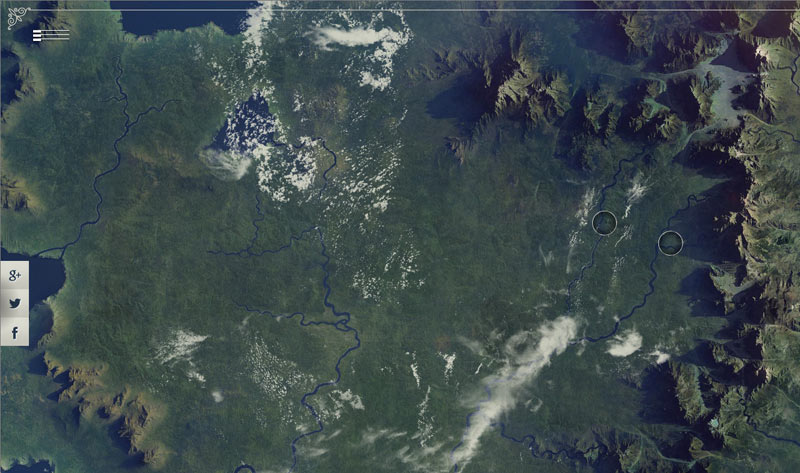
Finally, yay!—I got an interactive map of Middle Earth. I was impressed with the photorealism and nice floaty clouds. Nice music too. Hey, what’s that thing in the left corner? Oh, a slideout menu, nice. I click a circle and the map zooms in. Nothing else happens. Should I click it again? There ya go, now it links to something.

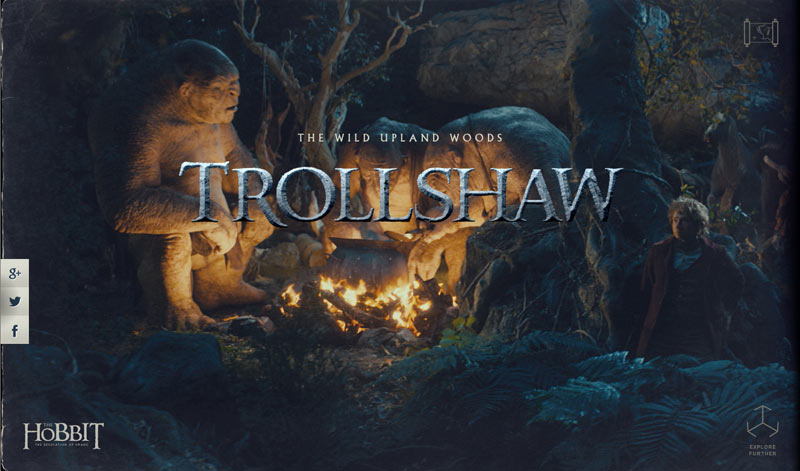
Trollshaw main screen

I visited the Trollshaw area first. Nice graphics. I notice that the browser address bar has changed. Ungh…more page loading. Can I click the browser’s “back” button to return to the map screen? Nope. What about that little map icon in the top right? Nope, that seems to be broken.

So I wait for the page load and try it out. Hey, where did my side menu go? Oh, whatever. I drag the screen as the instructions explained, and it has a nifty movie-scrubbing effect used in combination with some parallax scrolling. The site seems to assume that users have a touch screen, so I (with my laptop’s trackpad) am immediately fumbling to click and drag to the side. The imagery has been high-quality up till this point. Maybe worth the download time and only slightly gimmicky.

Trollshaw game

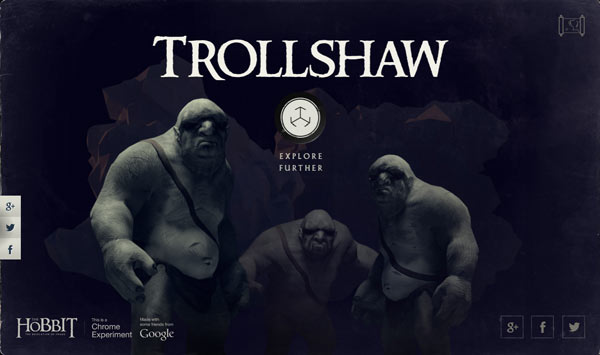
On the last page I find some more trolls—are these the same ones I just scrolled by? They look kinda different. I click “Explore Further”. It doesn’t work. So I reload the page and navigate back there, then it does the download.

Trollshaw game top view

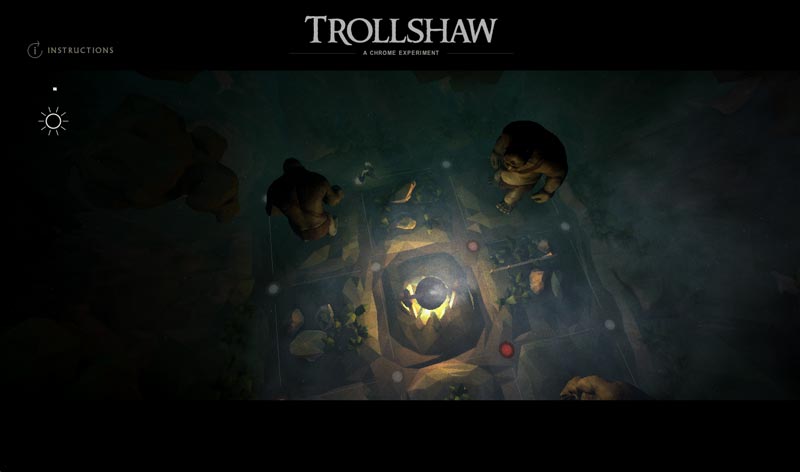
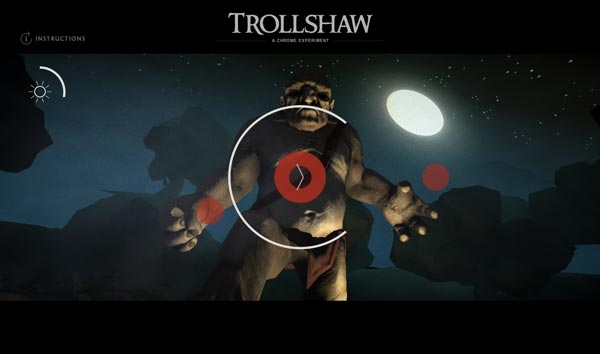
Now I have a 3D game where I am told to use my arrow keys (assumes user has a keyboard) and “swipe to run” (assumes user has a mouse or touchscreen). I start with the arrow keys, having no clue where I’m supposed to run. Suddenly I’m confronted by a troll moving in slow-motion. Oh, I think, this must be the part where I switch to the gesture controls! Wham! He nails me. I got killed a few times doing this with the trackpad and finally had to plug in a USB mouse before I could get anywhere. Then I discover it’s super easy to finish the game. They show the obligatory social media links at the end of course.

Trollshaw game first person

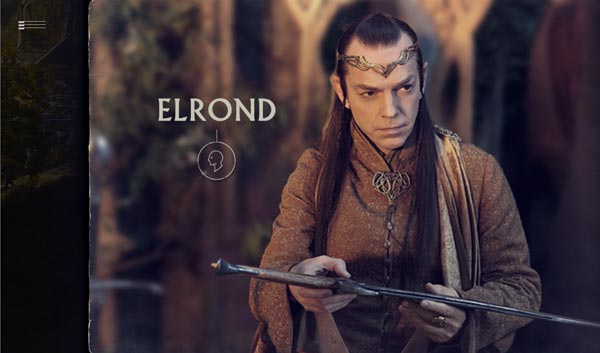
I visited the “Rivendell” page next. A very long page load this time. More click-dragging, movie scrubbing and parallax. I drag to the right before Gandalf is done talking. Clicking Elrond’s button makes him start talking at the same time, which seems awkward. He didn’t even say “pardon me”.

Elrond

I get to the end of the scrolling and click “Explore Further”. Another 3D interactive thing. For a second time I am struck by how different the 3D engine graphics look from the preceding experience.

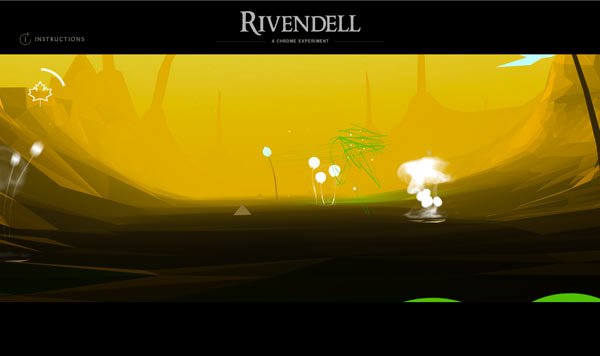
Rivendell game

My task now is (are you ready?) to zoom through 3D space and swish my mouse over the little flowers in the valley. Really? Of all the things Middle Earth has to offer, I get to swish my mouse around? I laughed when I got to the end screen: “You made the most of your time in Rivendell.” Wow, these guys know how to party.

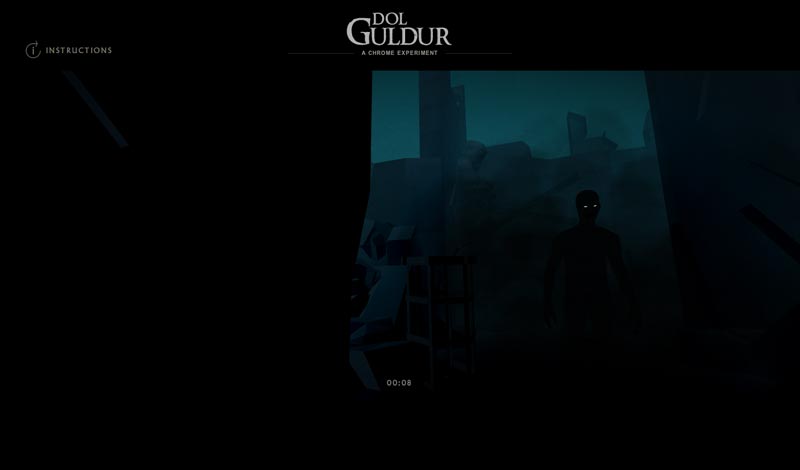
Dol Guldur
See those glowy eyes? That’s the Necromancer I guess.

On to Dol Guldur. More download, scrubbing and parallax. I click to the game and once more I have to use both my keyboard and mouse. I walk 5 steps (I counted) and try to look around with my mouse. Some unseen thing roars at me, I spin around and apparently I am dead. I try this again several times. I only achieved another five seconds and the privilege of seeing the dark figure who is destroying my hair-do. I give up, wondering how much development time it took.

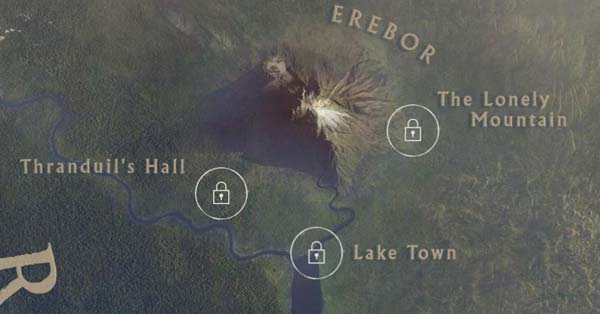
The locked levels

Back to the map, it appears that three other locations are supposed to be part of this site, but they are locked. They don’t tell you if they are “coming soon” or if I need to make some sort of achievement to unlock them. At this point, I really don’t care to see more.

It started off great with the map, but the rest of the site leaves me thinking that it doesn’t do much to promote the Hobbit movies, which should have been the end result. It contained absolutely nothing about the new movie, and not enough from the first movie. I would rather have seen more content-related things, like character-related information, better sound and video clips. Factor in the errors and interface difficulties, and I leave the site rather disappointed.

I think before starting such a project a development team would do well to take a page out of Nintendo’s play book, meaning that the user experience needs to take precedence over raw technical achievements. Plan the site carefully before attempting any gaming or other experience. Consider the average user and what they are expecting. Test it lots before launching it.

I hate to be so negative, but a site like this seems to be less about the user experience and more about “what can we do using WebGL”. This certainly isn’t the first site that has suffered from this problem. I just wish it wasn’t a site for the Hobbit movies, because I was expecting more.

Solving a Joomla bug double whammy with Debug Mode

I love the Joomla content management system but a problem that all open source CMSs face is that security upgrades often introduce breaks in the system. I recently had to solve a bad one and thought I should document it in case anyone else finds this to be useful.

The client’s Joomla 2.5.9 website uses the Kunena forum component (version 3.0.1), and they informed me that a user was experiencing a 500 error. When I went to check the forum, the site was reporting a 403 error and Joomla was not providing any details on that. Unfortunately the client’s host does not make it easy to view error logs, so I made some database backups thinking I would have to restore to a previous version.

Fortunately on a hunch I decided to search the web for “403 error” and “Kunena” and turned up a suggestion to enable Kunena’s debug mode along with Joomla’s debug mode. I put the site offline, then enabled the debug modes. Now the site output all sorts of useful information, and the first error I discovered was that an outdated “j4age” statistics component was causing an error. I disabled that component and voila, now I could see the 500 error that the client reported: “Fatal Error: Class ‘CKunenaLink’ not found in components/com_kunena/template/customTemplate/html/topic/default_message_actions.php on line 61”

This was much easier to resolve. I used TextWrangler to compare my version of that file with the default one provided with Kunena 3.0.1. My template (originally created for the Kunena 2.0 version) was referencing the CKunenaLink class which apparently has been deprecated. I replaced that line with the updated version and that solved everything. I turned off the debug mode, put Joomla back online and away it went.

Lesson learned: use Joomla debug mode before anything else!